
How to update Order Status
This guide walks you through how to update the order status for your products
On This Page
How to edit Product Title
Step 1: Navigate to Product Orders
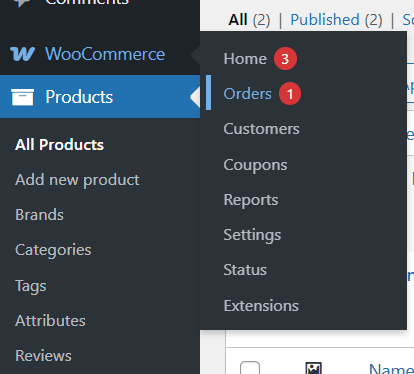
- From the left-hand dashboard menu, hover over WooCommerce.
- Click Orders.
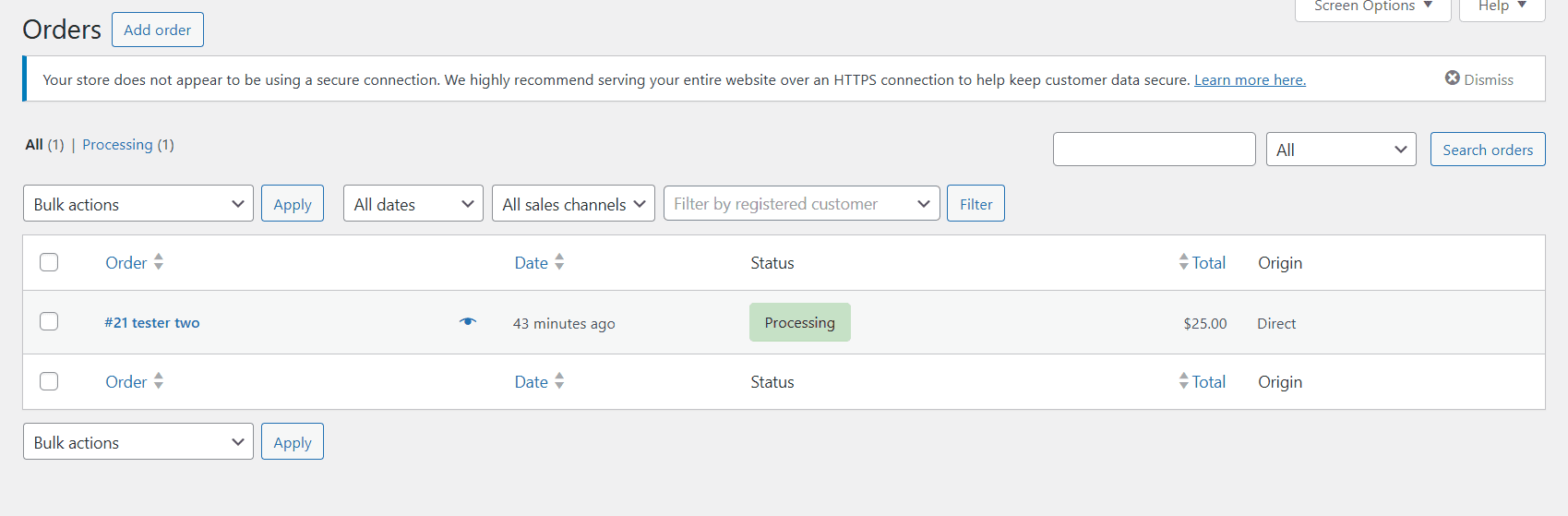
You will now see the Orders page.
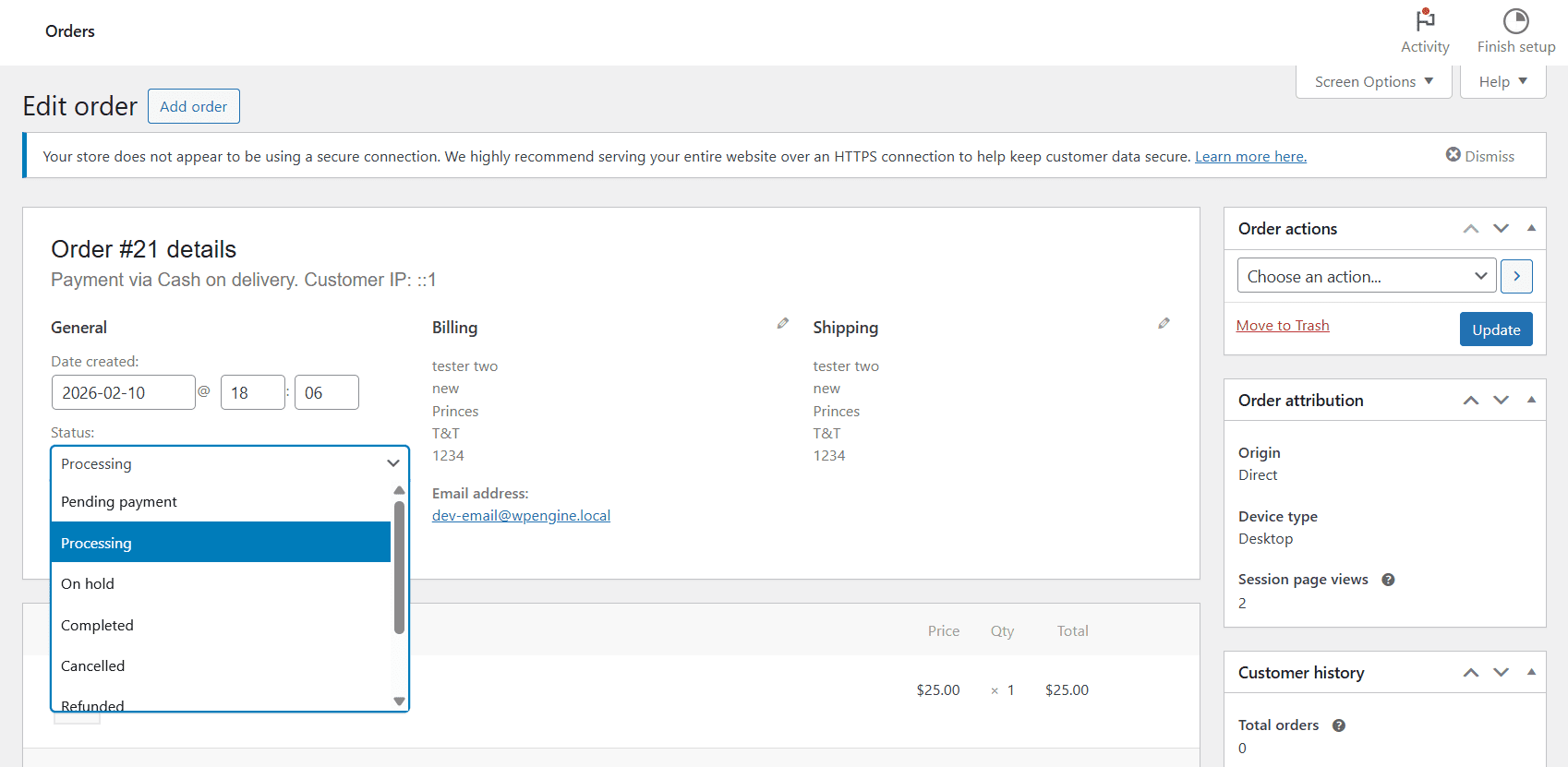
From Here, click on the order you want to edit. A page will open up where you can edit the Order Status, Date Created, Customer and give a Refund if needed. Click on the dropdown under status to change the Order Status. After changing the order status, click on Update.
Types of Order Statuses
Pending payment – The order has been received, but no payment has been made. Pending payment orders are generally awaiting customer action.
On hold – The On hold status is generally assigned to an order when a customer pays via an “offline” payment method that doesn’t have immediate payment confirmation, like the BACS gateway. Offline payment methods require you to manually verify the payment was processed; once you confirm payment has been received, you can change the status of the order.
The On hold status may be temporarily assigned to orders if the customer paid using a delayed notification payment method, like SEPA Direct Debit. Depending on the payment gateway in use on your site, the order may be moved automatically from On hold to a different status once the payment clears. Check the order notes on the order and the documentation of your payment gateway for details.
You may also see the On hold status if you use a payment gateway that has an option to separate the authorization and capture of funds. Check the order’s notes and your payment gateway’s documentation for details.
Processing –Payment has been received (paid), and the stock has been reduced.
Completed –Order fulfilled and complete.
Failed –The customer’s payment failed or was declined, and no payment has been successfully made
Draft –Draft orders are created when customers start the checkout process while the block version of the checkout is in place.
Canceled – The order was canceled by an admin or the customer.
Refunded – Orders are automatically put in the Refunded status when an admin or shop manager has fully refunded the order’s value after payment.